



What Controller for HomeKit does
Controller for HomeKit is an Apple Home app for iPhone, iPad, Mac, Apple TV, and Apple Watch. It adds workflows, advanced automations, charts, backups, and a LiDAR floor plan to HomeKit and Matter homes.
Controller for HomeKit is a third-party app for people whose smart home runs on Apple Home, HomeKit, and Matter. It controls the same devices, scenes, and groups as Apple's Home app and adds tools that Apple Home does not have.
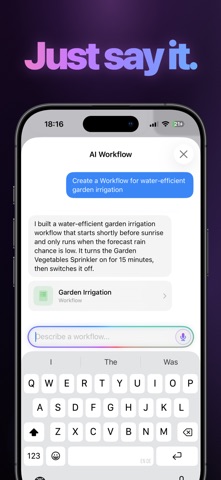
The center of the app is automation. Advanced automations support multiple start events, weekday scheduling, grouped AND/OR conditions, scenes that turn off after a delay, and a run-once option. Workflows go further: they can compare values, wait or repeat steps, branch with IF/ELSE, use live weather conditions, read calendar events and reminders, send notifications with real-time values, and start from URLs, server triggers, or Shortcuts. With Controller AI, you describe a scene, automation, or workflow in everyday language and the app builds it.
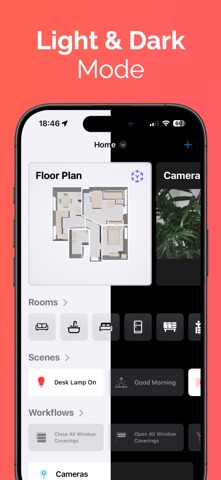
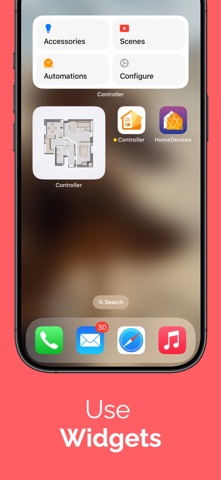
The app also helps you look after a home setup. A 3D floor plan made with the LiDAR sensor lets you control devices on a map of your rooms. Charts show how values like temperature, humidity, or battery level change over time. Backup and Restore saves your full Apple Home setup, Setup Codes stores HomeKit and Matter pairing codes, Maintenance finds unreachable devices and broken automations, and Logs record state changes. Smart folders, widgets, NFC tags, and an Apple Watch app round out daily control.
Controller runs on iPhone, iPad, Mac, Apple TV, and Apple Watch. With Controller Hub, a device can run workflows around the clock and collect chart history.
The app is a free download from acasa Software GmbH. You then choose an Essentials or Plus subscription, each with a 7-day free trial. Plus adds Controller Hub, automated time- and sensor-driven workflows, charts with full history, and States. Exact prices are shown in the App Store in your local currency. The company also documents an API and a URL scheme.
Best for
Apple Home users with many HomeKit or Matter devices who want more advanced automations, backups, and insight than Apple's Home app offers.
Not for
People who use Google Home, Alexa, or Home Assistant as their main platform, and Android users.
Questions and answers
What is the difference between Essentials and Plus?
Essentials covers device control, the 3D floor plan, manual workflows, widgets, backups, and more. Plus adds Controller Hub, automated workflows, charts with full history, and States.
Is there a free trial?
Yes. Controller is a free download, and the Essentials or Plus subscription you choose starts with a 7-day free trial. You get a notification two days before it ends.
Where can I see the prices?
Exact prices are shown in the App Store in your local currency, with applicable taxes.
Does it support Matter devices?
Yes. Controller controls HomeKit and Matter devices and can store HomeKit and Matter setup codes.
Can I back up my Apple Home setup?
Yes. Backup and Restore saves your complete Apple Home setup so you can restore it after a reset, on a new device, or in a new home.