




What Drafts does
Drafts is a text capture app for iPhone, iPad, Mac, and Apple Watch. It opens to a blank page so you can type right away, then uses actions to send the text to other apps and services.
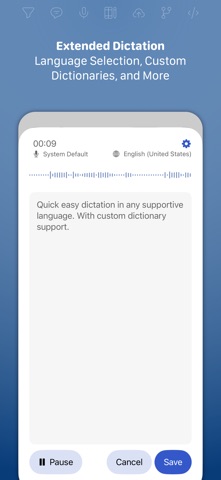
Drafts is built around one idea: getting text down before you forget it. The app always opens to a new, empty draft with the keyboard ready, so there is no folder to pick and no file name to type. You can also capture by dictation, Siri, widgets, the share extension, or file import, and on Apple Watch you can speak a note that later appears on your other devices.
New drafts land in an Inbox. From there you can tag them, flag the important ones, or archive them for long-term storage. Workspaces save a preferred combination of tags, search, and sort settings, so a writing project or a task list can have its own view of the library.
The second half of Drafts is actions. An action takes the current text and does something with it: copies it, shares it, creates a file in Dropbox, sends a task to Reminders, or deep-links into another app. Actions can also transform text, and the app can work with popular AI language models. A public Directory has ready-made actions and themes, and a JavaScript scripting reference is available for people who want to build their own.
The editor is highly adjustable, with custom fonts, spacing, line height, and margins, plus a row of customizable buttons above the keyboard. Link Mode and Arrange Mode help with processing and reordering text.
Drafts is made by Agile Tortoise and runs on iPhone, iPad, Mac, and Apple Watch with sync between devices. The app is free to use with unlimited drafts and sync. Drafts Pro is a subscription at $1.99 per month or $19.99 per year (with a 7-day free trial on the yearly plan) that unlocks creating and editing actions, themes, workspaces, the AI chat console, Mail Drop, and extra automation. MacStories named Drafts its 2025 App of the Year.
Best for
Apple users who write a lot of short text, such as notes, messages, and tasks, and want one fast place to capture it and send it on.
Not for
Android or Windows users, and people who want a folder-based document manager or a team wiki.
Questions and answers
Is Drafts free?
Yes. Drafts is free to use, with unlimited ability to create, edit, and sync drafts and to run installed actions. Drafts Pro adds advanced features.
How much does Drafts Pro cost?
Drafts Pro costs $1.99 per month or $19.99 per year in USD. The yearly option has a 7-day free trial, and both options support Family Sharing.
Which devices does Drafts run on?
Drafts runs on iPhone, iPad, Mac, and Apple Watch, and one Pro subscription unlocks Pro features on all of them with the same iCloud account.
What are actions?
Actions send or change your text, for example to copy it, share it, create a Dropbox file, or send a task to Reminders. You can install ready-made actions from the Drafts Directory.
Can I write my own actions?
Yes, with Drafts Pro. Pro unlocks creating and editing actions, including advanced scripting with the Drafts JavaScript library.